MepSketcher Documentation
Welcome to MepSketcher! This guide will help you get started with creating MEP (Mechanical, Electrical, and Plumbing) system designs on PDF drawings. Follow along with the visual guides below to learn how to use the application effectively.
Getting Started Overview
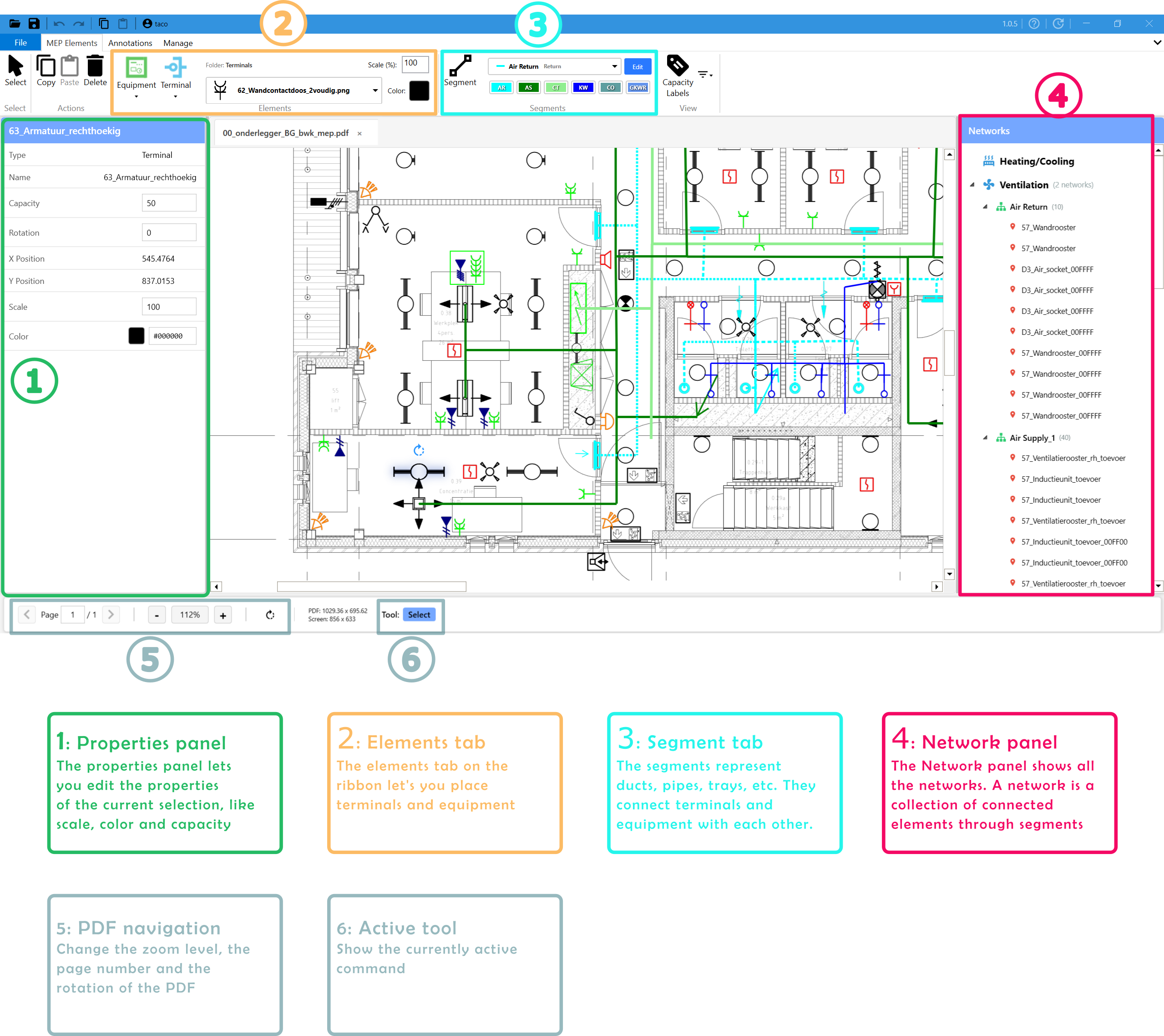
MepSketcher allows you to design MEP systems directly on your PDF drawings. Below is an overview of the key sections of the application interface. Take time to familiarize yourself with the layout and the important tools available to you.
Placing Terminals and Equipment
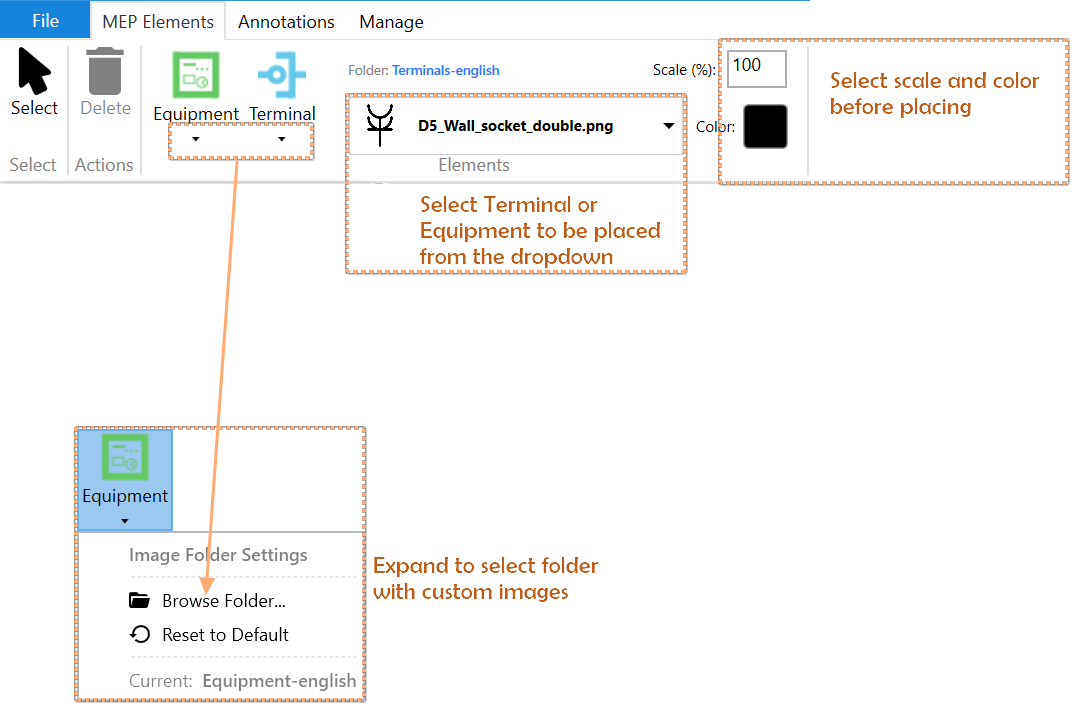
Terminals and equipment are the foundation of your MEP system. Terminals represent supply and return points, while equipment includes fans, pumps, and other major MEP components. In the image below the essentials for placing these elements are highlighted.
Placing Segments
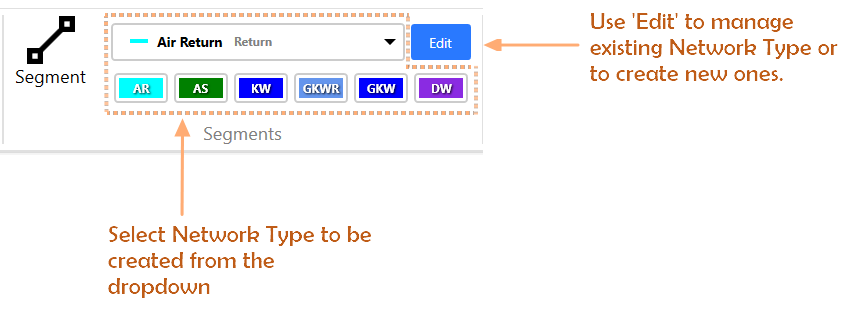
Segments are the connections between terminals and equipment, representing ducts, pipes, and cable trays in your MEP system. Learn how to create and connect segments to complete your system design and enable proper flow calculations.
Video Tutorial
For a comprehensive walkthrough of MepSketcher functionality, check out our video tutorial below:
Watch Tutorial on YouTube